
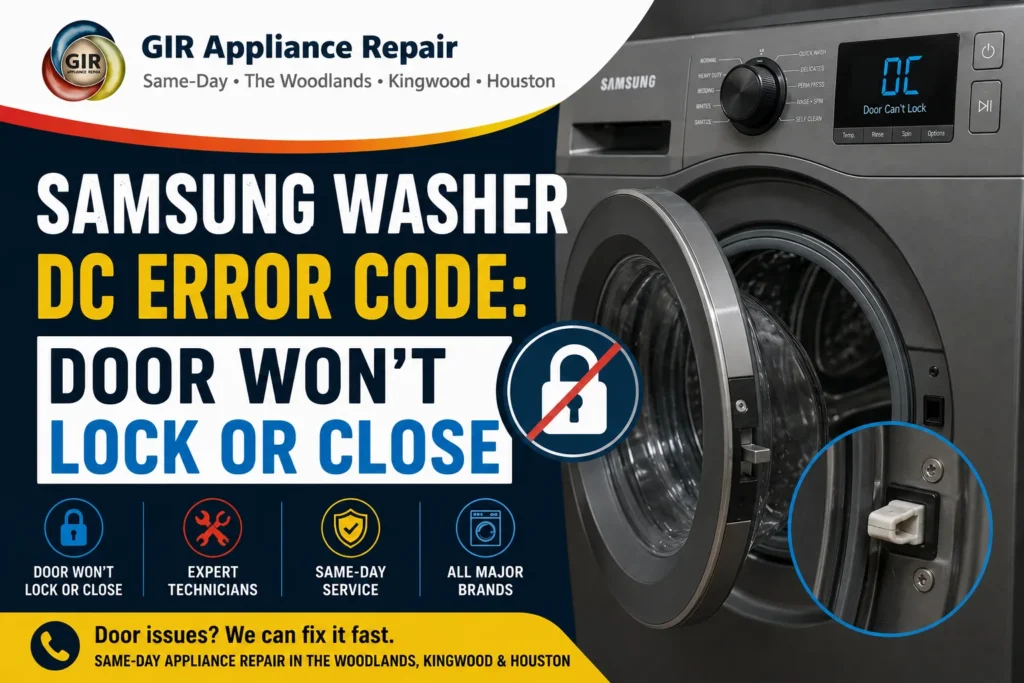
A Samsung front-load washer flashing DC, DC1, DC3, or DDC is telling you it can’t confirm the door is properly closed and locked — and as a safety feature, it won’t run a cycle until it can. This is one of the more frustrating Samsung error codes because the door often looks and feels closed to the eye. GIR Appliance Repair breaks down exactly what each variant means, why it happens, and how to tell a simple fix from one that needs a technician.
What’s the Difference Between DC, DC1, DC3, and DDC?
Samsung uses several related codes for door and door-lock problems, and they don’t all mean the same thing:
- DC — the main door switch isn’t confirming a secure closure, or (occasionally) the door was pulled open by force or pushed open by internal pressure during a Boil/Sanitize cycle.
- DC1 — closely related to DC, often tied to a door lock switch that’s jammed, misaligned, or wired incorrectly.
- DC3 — specifically about the door lock motor/mechanism itself, not just the sensing switch.
- DDC — on models with a secondary “add door” (a small inner door for adding items mid-cycle), this means that inner door specifically isn’t detected as closed.
Common Causes by Code
| Cause | Typical Code(s) | Est. Repair Cost |
|---|---|---|
| Door not fully closed / something caught in the seal | DC, DC1 | $0 (DIY check) |
| Door switch jammed from control panel deformation | DC, DC1 | $130–$240 |
| Door hook deformed, causing switch contact error | DC1 | $120–$220 |
| Door lock motor failed or worn out | DC3 | $150–$280 |
| Add-door (inner door) not closed or its barrier/lock module fault | DDC | $0–$220 |
| Main PCB door-sensing circuit fault | Any | $220–$420 |
Start With the Obvious: Is Anything Caught in the Door?
Before assuming a part has failed, open the door fully and run your hand around the entire rubber door seal (gasket), checking for a stray sock, a piece of clothing tag, or lint buildup that’s preventing a fully flush close. Even a small obstruction can be enough to keep the door switch from registering “closed,” especially since Samsung’s front-load doors need a genuinely secure seal to satisfy the sensor — not just a door that looks shut.
Door Switch and Hook Problems (DC / DC1)
If the door is clearly closing normally with nothing caught in the seal, the next most common cause is the door switch mechanism itself. Samsung’s service documentation notes that a switch can become jammed or misaligned if the control panel or door button area has warped slightly, or if the screws holding the sub control board in place were overtightened during a previous repair, putting uneven pressure on the switch. A deformed door hook — the small latch component the switch reads — can also cause a contact error even when the door appears to close normally. A technician checks the door switch resistance directly (it should read a specific value across two of its terminals) to confirm whether the switch itself, rather than the hook or panel, is at fault.
Door Lock Motor Failure (DC3)
DC3 specifically points to the motorized lock mechanism, not just the sensing switch — this is the small motor that physically engages the lock pin once the door closes securely (a safety feature that prevents the door from being opened mid-cycle while the drum contains water). If this motor fails or its internal resistance drifts out of spec, the washer can’t confirm a secure lock even if the door itself is closing fine. This typically requires replacing the door lock assembly rather than a simple adjustment.
Add-Door / Inner Door Issues (DDC)
Some Samsung washer models include a small secondary door within the main door, designed for adding a forgotten item mid-cycle without opening the full drum. DDC means this inner door specifically isn’t detected as closed — check that it’s fully latched, since it’s easy to leave it slightly ajar without noticing. If it’s confirmed closed and the code persists, the barrier or lock module for this smaller door may need inspection.
When It’s Actually a Boil/Sanitize Cycle Issue
Samsung’s documentation for this washer family notes an interesting edge case: a DC error can occur during a Boil or Sanitize cycle specifically because internal temperature and pressure changes can push against the door from the inside, which the sensor interprets as the door being forced. If you’re only seeing DC on high-heat cycles and never on regular washes, this is worth mentioning to your technician, since it points toward this specific cause rather than a worn switch or hook.
DIY Checks Before You Call
- Open the door fully and inspect the entire rubber gasket for anything caught in it.
- Close the door firmly and listen/feel for the lock engaging (a soft click).
- If your model has an add-door, confirm it’s fully latched separately from the main door.
- Power-cycle the washer (unplug for 60 seconds) after confirming the door closes normally, since some models need a reset to clear a stored code.
- Note which cycle type triggers the error — regular wash versus Boil/Sanitize — before calling, since this narrows the diagnosis significantly.
Why a Stuck-Locked Door Needs Prompt Attention
A door lock fault can sometimes work in the opposite direction — locking and refusing to release even after the cycle ends, trapping a wet load inside. If this happens, avoid forcing the door open, since that can further damage the lock hook or switch and turn an affordable repair into a full lock assembly replacement. A technician can safely release most stuck door locks without additional damage.
Why Door Switches Wear Out Faster With Heavy Household Use
GIR technicians see door switch and lock issues more often on Samsung washers in larger Houston-area households, simply due to cycle frequency — a door switch rated for tens of thousands of open-close cycles reaches that number years sooner in a household running two or three loads a day than one running two loads a week. This isn’t a defect, just mechanical wear on a part that opens and closes every single load. If your washer is several years old and getting daily use, a door switch or lock issue is a reasonably predictable repair rather than a sign something else is wrong with the machine.
Models This Applies To
This guide reflects Samsung’s official service documentation for the WF45M5500AP, WF45M5500AZ, WF45M5500AW, WF45M5100AW, WF45N5300AV, WF45N5300AF, and WF45N5300AW front-load washer family. Use our Samsung Appliance Age Lookup tool to confirm your exact model.
🔧 Need a professional repair?
GIR Appliance Repair serves Houston, The Woodlands & Kingwood — same-day availability.
Frequently Asked Questions
Why does my Samsung washer say the door is open when it’s closed?
Usually either something is caught in the door seal preventing a fully flush close, or the door switch/lock mechanism has a fault and can’t confirm the closure even though it looks and feels shut.
My Samsung washer door won’t unlock after the cycle ended. What do I do?
Don’t force it — that risks damaging the lock hook or switch further. Try powering the washer off and back on, since some models release the lock during a power cycle. If it stays locked, call a technician rather than forcing the door.
What’s the difference between DC1 and DC3?
DC1 usually points to the door switch or hook mechanism (sensing whether the door is closed), while DC3 points specifically to the door lock motor itself (the mechanism that physically locks the door).
How much does it cost to fix a Samsung washer door error?
A door switch or hook repair typically runs $120–$240. A door lock motor replacement (DC3) runs $150–$280. GIR always diagnoses first and gives an upfront quote.
Does GIR repair Samsung washer door and lock issues in Houston?
Yes — GIR Appliance Repair services Samsung washers and all major brands across Houston, The Woodlands, Kingwood, Spring, and Conroe. Call (346) 625-4289 for same-day service.
Samsung washer stuck on a door error? Contact GIR online or call (346) 625-4289 for same-day diagnosis across Houston, The Woodlands, Kingwood, Spring, and Conroe.
Ready to schedule your repair?
We serve The Woodlands, Kingwood, Spring, Humble & greater Houston. Call or book online.