
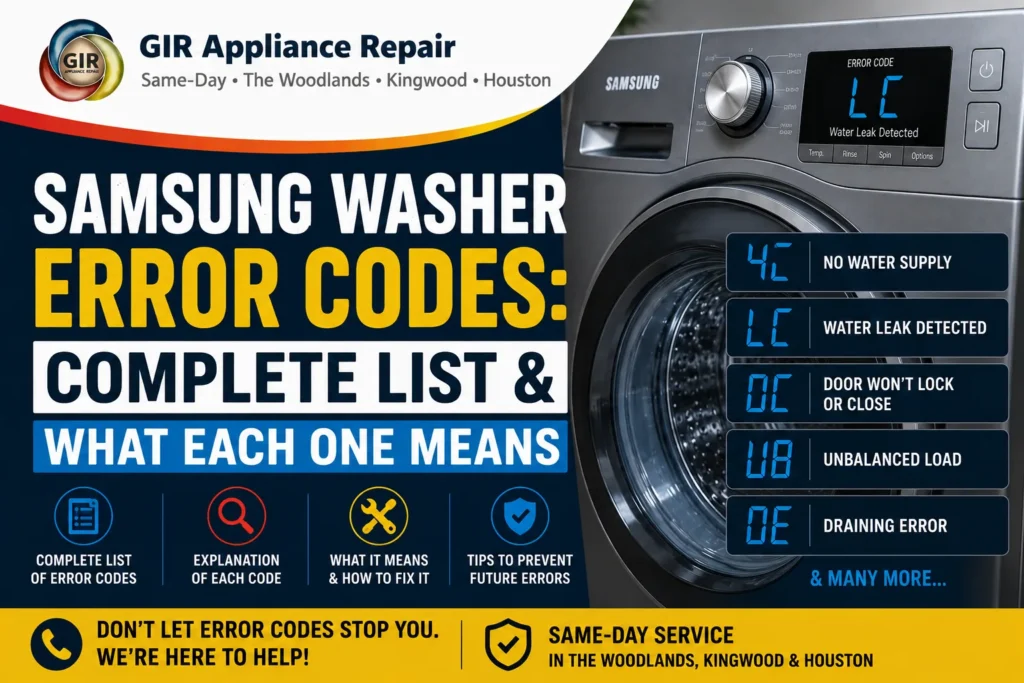
Samsung front-load washers display a short letter-and-number code on the panel whenever something interrupts a normal cycle — and while a flashing code can be alarming, most of them point to something a technician can fix quickly, and a few (like SUDS) aren’t even a malfunction at all. GIR Appliance Repair put together this complete reference covering every error code documented in Samsung’s own service manual for the WF45M5500A*/WF45N5300A* washer family, so you know what you’re dealing with before you call anyone.
Samsung Washer Error Codes: Full List
| Code | What It Means | Quick Fix / Guide |
|---|---|---|
| 1C | Water level sensor fault or bad connection | Check sensor hose/connector; often a technician fix |
| 3C | Washing motor or motor hall sensor fault | Check for overloading; technician tests motor/sensor resistance |
| 4C / 4C2 | Water supply error — not enough water reaching the machine | Full 4C Error Guide → |
| 5C | Related motor/water-level sensing fault | Same troubleshooting path as 1C/3C — sensor/connector check |
| 9C1 / 9C2 | Water supply valve stuck open / continuous fill | Check for a stuck-open inlet valve; usually needs a technician |
| AC / AC3 / AC4 / AC5 | Communication error between the main board and sub-board, WiFi, LCD, or inverter module | Power-cycle first; persistent errors need a connector/board check |
| BC2 | Main relay/switch error | Technician-level board diagnosis |
| DC / DC1 / DC3 / DDC | Door won’t confirm closed or locked | Full Door Error Guide → |
| HC / HC1 | Wash heater or heater sensor fault | Technician checks heater resistance and thermistor |
| LC | Leak detected in the cabinet base | Full LC Error Guide → |
| OC | Overflow error — water level sensor didn’t stop the fill correctly | Check water level sensor hose for damage; technician fix |
| TC1 | Temperature sensor fault (dry/duct heater sensor) | Technician checks sensor connections and resistance |
| UB / UV | Unbalanced load detected during spin | Full UB Error Guide → |
| SUD / 8C1 / 8C2 / 8C | Oversudsing detected — not a malfunction, self-clearing | Full SUDS Error Guide → |
| SF | Main control board (Mems PBA) system fault | Board-level repair, always needs a technician |
The 5 Most Common Samsung Washer Errors, Explained
Of everything in the table above, five codes account for the large majority of the service calls GIR gets on Samsung washers across Houston, The Woodlands, Kingwood, Spring, and Conroe. Each has its own full guide with causes, DIY checks, and realistic repair costs:
- 4C / 4C2 — No Water Supply: the washer isn’t detecting water reaching it fast enough, most often a supply valve, hose, or inlet screen issue.
- SUDS / 8C — Oversudsing: not a failure at all — the washer is auto-clearing excess foam, almost always from non-HE or too much detergent.
- LC — Leak Detected: the dedicated leak sensor has found water in the cabinet base; needs prompt attention before it reaches electronics.
- DC / DC1 / DC3 / DDC — Door Error: the door isn’t confirming closed or locked, from something caught in the seal to a worn lock switch.
- UB / UV — Unbalanced Load: the spin cycle paused because the load shifted unevenly — usually solved by redistributing laundry, not a repair.
How to Read a Samsung Washer Error Code
Samsung error codes generally follow a pattern: a leading letter indicates the system involved (D for door, L for leak, H for heater, T for temperature, U for unbalance, A for communication), and the number or trailing digit typically distinguishes between closely related variants of the same underlying issue. Codes ending in a number after a letter (like DC1 versus DC3, or AC3 versus AC5) usually point to a more specific sub-component within that system rather than a completely different problem — which is why writing down the exact code, not just “it says DC,” genuinely speeds up a technician’s diagnosis.
What to Do the Moment a Code Appears
- Write down the exact code before doing anything else, including any secondary digits (4C vs. 4C2 matters).
- Don’t repeatedly restart the cycle hoping it clears — for anything except SUDS, repeated attempts without addressing the cause rarely help and can occasionally worsen a leak or door-lock issue.
- Check the obvious first: supply valves for water-related codes, the door seal for door codes, load distribution for balance codes.
- Power-cycle once (unplug 60 seconds) after any physical check, since some codes are cleared by a reset once the underlying cause is corrected.
- Call for diagnosis if the code returns after basic checks, rather than guessing at parts to replace yourself.
Why This List Is Different From a Generic Search Result
Search for a Samsung washer code and you’ll find plenty of forum threads and generic appliance sites listing the same handful of codes with vague, copy-pasted explanations. This reference is built directly from Samsung’s own official service documentation for this washer family — the same technical source GIR’s technicians use in the field — rather than aggregated from other websites. That’s also why the causes and fixes described here go a level deeper than “check the door”: where the underlying manual specifies an actual resistance value, a specific hose, or a named internal component, that’s what informs the guidance above.
Which Samsung Washer Models Does This Cover?
This reference is built from Samsung’s official service documentation for the WF45M5500AP, WF45M5500AZ, WF45M5500AW, WF45M5100AW, WF45N5300AV, WF45N5300AF, and WF45N5300AW front-load washer family, though the same error-code logic is consistent across most of Samsung’s modern front-load lineup. If you’re not sure exactly which model you have, our Samsung Appliance Age Lookup tool can decode your model and serial number and estimate its age.
Frequently Asked Questions
What’s the most common Samsung washer error code?
GIR technicians see SUDS/8C, 4C (no water), and DC (door) most frequently across Houston-area service calls — and of those, SUDS is usually the least serious since it’s self-clearing.
Is it safe to keep using my Samsung washer with an error code showing?
It depends on the code. SUDS resolves on its own. LC (leak) and codes involving the door lock are worth addressing promptly. Sensor and communication codes are generally safe short-term but shouldn’t be ignored indefinitely.
🔧 Need a professional repair?
GIR Appliance Repair serves Houston, The Woodlands & Kingwood — same-day availability.
My code isn’t in this list — what do I do?
Newer or different Samsung washer models can use slightly different code sets. Call GIR at (346) 625-4289 with the exact code and your model number (found on a sticker inside the door or drum) for an accurate diagnosis.
Does GIR repair all Samsung washer error codes in Houston?
Yes — GIR Appliance Repair services Samsung washers and all major brands across Houston, The Woodlands, Kingwood, Spring, and Conroe, with same-day diagnosis available in most cases.
How much does Samsung washer error code diagnosis cost?
GIR charges a $55 service call fee, applied toward the cost of your repair if you move forward — there’s no separate diagnostic charge on top of that.
Samsung washer showing an error code? Contact GIR online or call (346) 625-4289 for same-day diagnosis across Houston, The Woodlands, Kingwood, Spring, and Conroe.
Ready to schedule your repair?
We serve The Woodlands, Kingwood, Spring, Humble & greater Houston. Call or book online.